In this article
A 5-day challenge lead magnet works differently from a static PDF. The people who sign up are committing to five days of daily action — not just clicking “download.” That commitment pre-qualifies your subscribers before you say a single word about your offer. By the time you bridge to a pitch on Day 5 or 6, you are talking to people who already proved they show up.

What You’ll Need
- An email marketing account — ConvertKit, MailerLite, or Brevo (free tiers handle this)
- A simple landing page (your email platform’s built-in page builder works fine)
- A topic your audience will commit 15 to 30 minutes per day to for 5 days
- Time to write 5 short emails and configure one automation sequence
- Canva (optional, free) if you want a visual welcome graphic or challenge workbook
Step 1: Choose a Topic That Earns a 5-Day Commitment
The topic is the hardest decision in this entire process. Get it right and the rest of the challenge writes itself. Get it wrong and even a technically perfect email sequence cannot save the conversion rate.
A good 5-day challenge topic produces a tangible, visible result by Day 5. Not “a better mindset” — that is unmeasurable. Something your participant can point to on Day 5 and say: “I built that during the challenge.”
Test your topic with this question: Can you describe, in one sentence, what a participant will have completed by the end of Day 5?
- “You will have your first lead magnet topic, format, and outline finalized.” — passes
- “You will feel more confident about your email list.” — fails
Keep the daily task under 30 minutes. Tasks that spill past that threshold compound: what felt manageable on Day 1 becomes a reason to drop out by Day 3. If a task genuinely needs more than 30 minutes, split it across two days or cut the scope of the deliverable.
Specific topic examples by creator type:
| Creator type | Challenge topic | Day 5 output |
|---|---|---|
| Coach | 5-Day Lead Magnet Sprint | Lead magnet topic, format, and outline complete |
| Blogger | 5-Day Content Calendar Build | Q3 topic map with 3 headlines per cluster |
| Freelancer | 5-Day Portfolio Refresh | 5 case studies with rewritten headlines and result metrics |
| Finance creator | 5-Day Budget Reset | One month of categorized spending with one cut identified |
Notice the pattern: each topic is specific enough that the right person immediately recognizes “this is for me,” and each Day 5 output is concrete enough that a participant can measure whether they finished.
If you are still deciding between a challenge and other lead magnet formats, the lead magnet creation guide covers how challenges compare to checklists, quizzes, and workbooks — useful before you commit to building one.
Step 2: Design What Happens Each Day
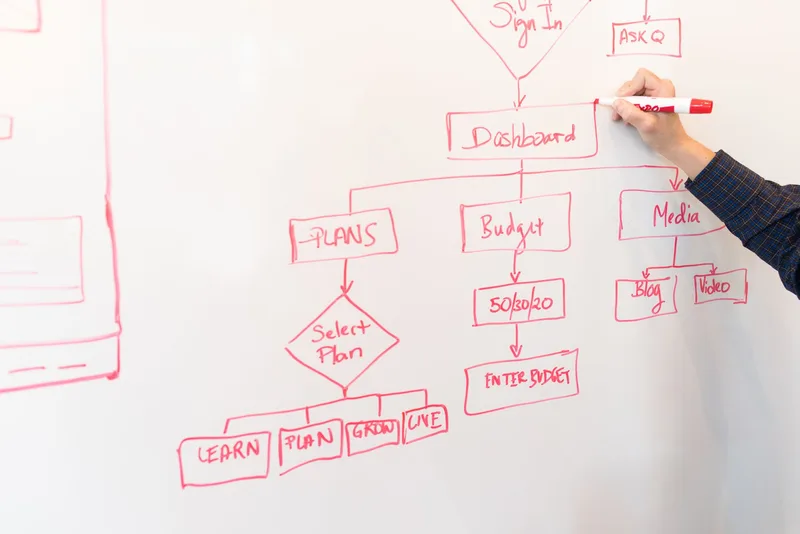
The simplest structure that works is one short email plus one task. No webinar, no live Q&A, no community group required for your first challenge run.
The 5-day arc:
Day 1 — Quick win. Give participants a small, achievable task that produces something visible. Momentum on Day 1 determines whether they open your Day 2 email. A quick win also builds trust: they did what you told them to do and it worked.
Day 2 — Build on the win. Take the Day 1 output one level deeper. This turns “I did a thing” into “I understand why the thing works.”
Day 3 — The friction point. Every challenge has a Day 3 wall. This is where the work gets slightly harder and some participants drop off. Name that friction directly in the Day 3 email: “This is the step most people skip. That is why most people stay stuck.” Then give them a specific way through it.
Day 4 — Review and refine. Consolidation day. Participants look at what they built across Days 1 through 3 and improve one specific element. Lower task volume, but participants feel the whole thing coming together.
Day 5 — Finish line and bridge. Complete the outcome. Then transition to your offer: “Now that you have X, the next step most people miss is Y. I built [offer] specifically for people who just finished this challenge.”
Optional community element: A shared Facebook Group, Slack workspace, or Discord server where participants post daily work increases accountability. But for your first challenge, start email-only. Community requires daily facilitation that can overwhelm a first-time runner. Add it once you know the topic works and you have an audience large enough to make the community feel active.
Step 3: Write the 5-Day Email Sequence
Write all five emails before you launch. This is the rule most first-time challenge runners break. They write Day 1, plan to write the rest during the challenge, then send Day 3’s email at 11pm half-finished because client work got in the way.
Each email has four elements:
Subject line: Short and day-numbered. “Day 1: Your first task is easier than you think.” “Day 3: This is the step most people skip.” The day number in every subject line helps participants track where they are and trains them to open the daily send.
Task context: Two to three sentences on why today’s task matters in the overall arc. A setup, not a lecture. “Yesterday you chose your challenge topic. Today you are going to design the one outcome your participants will have by Day 5. That single decision shapes every email you write.”
The task itself: Specific, with a starting prompt or example. Not “write your welcome email” — “Write your Day 1 welcome email. Under 200 words. Include: a confirmation that they are registered, the time Day 1 arrives, and one question they can reply to right now.”
The tomorrow tease: The last line of every email from Day 1 through Day 4 previews the next day. “Tomorrow we tackle the step that turns your topic into an actual deliverable — and it takes less time than today.” Each email’s job is to get them to open the next one.
Day 5 is different. After the regular task, add:
- A brief recap of what they built across all 5 days (name the specific outputs)
- The bridge to your offer — what comes next, why it matters, how your offer gets them there
- A clear link to the offer without vague “check this out” language

For the lead magnet you eventually pitch on Day 5, the copy that frames it matters as much as the offer itself. The lead magnet copy guide covers how to write the offer bridge specifically, including the post-challenge framing that converts without feeling like a pivot to selling.
Step 4: Build the Opt-In Page
The opt-in page has one job: convince someone to commit to five days of showing up. It does not need to be long. It does need to be specific.
Three things the page must communicate:
- What they will have built or achieved by Day 5 — not “knowledge,” a tangible output
- What they will do each day — so they can decide if the daily commitment fits their schedule
- When it starts — a specific date for a live cohort, or “you start immediately” for an evergreen run
Headline formula: “[Specific result] in 5 days — even if [common objection].”
- “Build your first lead magnet in 5 days — even if you have never written marketing copy.”
- “Reset your budget in 5 days — even if every previous attempt fell apart by Week 2.”
Below the headline: three bullet points that name what happens on specific days. “Day 1: Pick your topic and nail your one-sentence promise.” “Day 3: The step most people skip — and why skipping it tanks their conversion rate.” Specific day-by-day previews outperform generic “you will learn so much” copy because they answer the reader’s actual question: “What am I signing up for?”
Opt-in form: email address only. No first name required. No phone number. No multi-step intake. Reduce friction to the minimum.
Not sure if a challenge is the right format for your audience? The lead magnet template overview shows which formats work best for which audience situations, so you can confirm the decision before you build.
ConvertKit’s built-in landing page builder and MailerLite’s drag-and-drop page both handle this on their free tiers. If you already have a site, a single page there works too. The lead magnet landing page guide covers the exact elements that move opt-in rates and the ones you can safely cut.
Step 5: Configure the Delivery Automation
Set this up before you promote the challenge. A late automation means Day 1 emails go out while you are still debugging the opt-in form.
In your email platform:
- Create a tag or list segment — label it “challenge-participant-[month-year]” (for example, “challenge-participant-jun-2026”) so you can track participation by cohort and measure conversion separately from your main list
- Write the welcome email — sent immediately on sign-up, it confirms registration, tells participants what time Day 1 arrives, and asks one reply-worthy question (“What is the one outcome you are hoping to have by Day 5?”). Replies warm the relationship before the challenge begins.
- Set up the daily automation — Day 1 through Day 5 delivered at the same time each day. 7am in your audience’s primary time zone is a reliable default for morning-routine activities.
Evergreen vs. live cohort:
Evergreen delivers Day 1 immediately on sign-up, then one email per day on the following days. Each participant runs through the sequence independently. This generates subscribers year-round with no promotional deadline and lets you measure conversion metrics steadily over time. Start here.
Live cohorts send all participants through the challenge on the same calendar dates. This creates shared energy and can produce higher post-challenge conversion rates, particularly if you add a community element. The tradeoff: you need to actively promote to a hard deadline and have a large enough list to fill it. Run a live cohort once your evergreen version is validated.
Step 6: Promote, Launch, and Close
Minimum viable audience for a first challenge: aim for 20 to 30 participants before running a live cohort. Fewer than that and the challenge can feel empty. If you are not there yet, run it evergreen while you build.
Promotion timeline for a live cohort:
- 7 days out: announce the challenge with the opt-in link across all channels
- 5 days out: post the day-by-day breakdown — highly shareable content on Instagram Stories and Pinterest
- 3 days out: post a “who this is for” breakdown — helps qualified people self-select in
- 1 day out: final reminder with urgency (“sign-ups close tonight”)
- Launch day: send Day 1 at the scheduled time
The post-challenge conversion window:
Day 5 sets up the offer, but primary conversion happens in Days 6 and 7.
Day 6 email: congratulate completers, name the specific things they built across the 5 days, present the offer clearly. This is typically the highest-converting email in the entire sequence. The psychological dynamic is: they finished something, they feel capable, they are open to what comes next.
Day 7 email: a shorter follow-up for everyone who did not convert on Day 6. Do not extend the pitch window past Day 7. Challenge participants committed 5 days to your content. Honor that by keeping the sales window short and predictable.
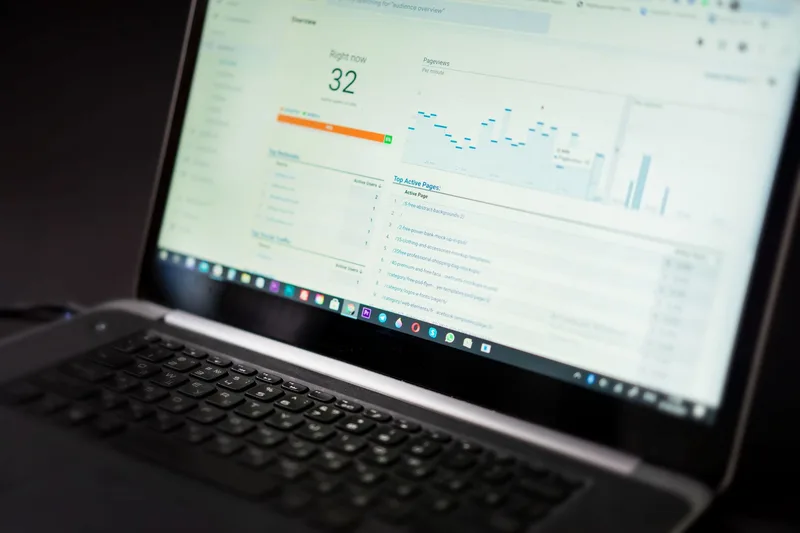
After the conversion window closes, tag all completers in your email platform. People who finished Day 5 are your most engaged subscribers and your most likely future buyers. Nurture them differently from general list subscribers who have never taken a challenge.
Frequently Asked Questions
How long should each daily challenge task take participants?
Between 15 and 30 minutes is the right ceiling for a challenge lead magnet. Tasks that take longer compound across the 5 days — what feels manageable on Day 1 becomes a drop-out reason by Day 3. If a task genuinely requires more than 30 minutes, split it across two days or reduce the deliverable scope. The goal is a daily completion, not a daily marathon.
Do I need a Facebook Group to run a 5-day challenge?
No. Community elements can meaningfully increase completion rates, but they add daily facilitation work that often overwhelms a first-time challenge runner. Start email-only. Once you have validated the topic — an opt-in rate you are happy with, measurable completion, post-challenge conversion you can track — add a community layer to a future cohort run.
What is a good opt-in rate for a 5-day challenge landing page?
Well-targeted 5-day challenge pages typically convert at 20% to 40% from warm traffic (your own existing audience) and 5% to 15% from cold traffic. These are directional benchmarks based on creator community reports; your result will depend on how specific your topic is and how well your headline matches the reader’s situation. A very specific outcome headline consistently outperforms a broad topic headline regardless of traffic temperature.
What should I offer at the end of the challenge?
The logical next step after the challenge outcome. If the challenge helps participants outline their first lead magnet, your offer might be a template pack, a design service, or a mini course on building the follow-up email sequence. The bridge works because challenge completers have proven they take action. Match the offer to the natural gap that Day 5 reveals — the step they now know they need but do not yet have.
Can I re-run the same challenge for a new audience?
Yes. Once you have validated the topic — participants complete it, some convert, you get replies on daily emails — re-running requires almost no additional work. Update the dates in your automation, refresh the opt-in page, and promote. Some creators run the same challenge quarterly. The content does not need to change unless participant feedback reveals a specific day is confusing or the Day 5 bridge is not landing.
Keep Reading
What to Do Next
Choose the path that fits where you are right now.
Your Lead Magnet Is Two Hours Away. Pick Your Format First.
One email. One page. Match your audience type to the lead magnet format most likely to convert — so you stop flip-flopping and start building.
Send Me the Decision MatrixRelated Articles
Quiz Lead Magnet: Question Design and Conversion Guide
How to build a quiz lead magnet that converts: question design, tool setup, result logic, and delivery automation. Includes format comparison data.
Lead Magnet Template: The Exact Structure for 4 Formats That Convert
Exact templates for checklist, cheat sheet, workbook, and swipe file lead magnets. Each section mapped out, ready to customize in Canva or Google Docs.
How to Create a Workbook Lead Magnet (Step-by-Step)
Step-by-step guide to building a workbook lead magnet that transforms subscribers. Covers structure, tools, fillable PDFs, and when to use workbooks over checklists.